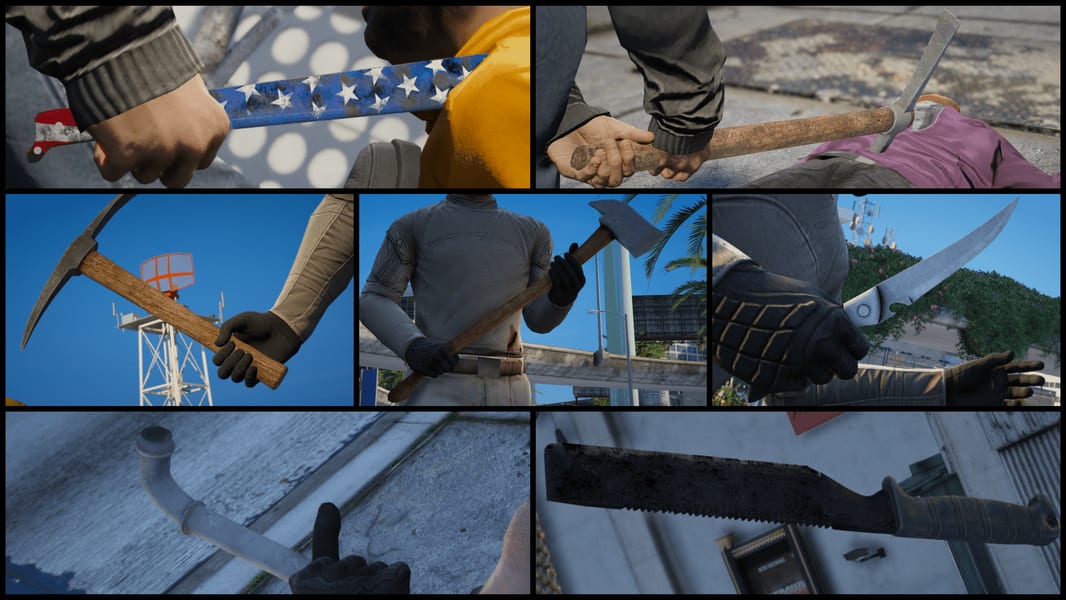
A weapon appearing in GTA 6 does not automatically mean you can buy it, carry it between missions, or keep it after reloading a save. The useful distinction is between an item listed in a shop, an object shown in promotional footage, and a weapon tested during combat. Those provide different levels of evidence.
For players managing GTA 6 Money during the opening hours, purchase availability matters more than an assumed damage ranking. Check your current shop inventory before budgeting for a particular weapon. A displayed price does not guarantee that the item is available to purchase at your stage of progression.
GTA 6 launched on November 19, 2026. This guide separates launch inventory observations from promotional sightings and leaves unverified combat properties unranked. It does not treat weapon lists from earlier GTA games as evidence for this release.
Melee Weapons: Inventory Evidence vs. Visual Sightings
Launch-day observations of the Big Shots store identify several knives, brass knuckles, and a baton in its melee category. Hammers have a different evidence trail: Rockstar’s first trailer shows a character holding them, but that scene alone establishes neither player access nor an acquisition method.
| Category | Items identified | Evidence available | What remains unverified here |
| Fixed-blade knives | Hunting, Bushcraft, Survival, Diving, Combat | Reported in the retail shop menu | Damage differences, attack speed, special effects |
| Other knives | EDC Knife, Switchblade | Reported in the retail shop menu | Concealment benefits, draw speed, separate combat roles |
| Baton | Baton | Reported in the retail shop menu | Unlock requirements, reach, recovery time |
| Fist weapon | Brass Knuckles | Reported in the retail shop menu | Damage increase and animation differences |
| Tools | Hammer | Visible in official footage | Purchase location, player pickup, persistent ownership |
| Sporting equipment | Bats, pool cues, golf clubs | Requires item-specific verification | Whether each object is equippable and retainable |
The retail-menu entries above come from a launch-day PS5 inventory check. They establish reported item names and shop presence, not a complete performance comparison. A “sold out” entry also needs separate investigation before it becomes an unlock recommendation.
Knives: Choose by Availability Before Assuming a Specialist Role
The knife names suggest different designs, but names alone cannot establish mechanical advantages. A Diving Knife should not be described as having an underwater damage bonus without an observed result. Likewise, a Combat Knife does not automatically outperform a Hunting Knife because its name sounds more aggressive.
A published inventory observation places Combat Knife under Big Shots’ Ammo & Equipment section, inside Melee Weapons. The recorded screen marks it as sold out. That supports checking this menu for the item, but it does not explain what makes it purchasable.
For an early purchase, use the equipment screen to answer three questions: can you buy it now, can you equip it for the next activity, and does it offer a demonstrated advantage over what you already own? Hold off on buying several variants solely to cover imagined roles.
Compact appearance also needs careful interpretation. A smaller model does not prove reduced witness detection, extra inventory capacity, or a faster draw animation. Until those differences are measured, portability remains a question about the game’s inventory rules.
Batons, Hammers, and Other Blunt Weapons
The baton needs a correction from earlier versions of this guide. A published recording-based inventory report identifies BATON in the Big Shots melee menu. In that observation, it is marked “Currently sold out.” It should therefore be described as a reported shop-listed weapon, rather than dismissed as an unsupported rumor.
That listing provides no reliable basis for calling the baton faster, safer, or longer-ranged than a knife. It also does not establish a police-specific acquisition route. Do not turn a weapon’s real-world association into an in-game unlock instruction.
The hammer requires the opposite restraint. Rockstar’s first trailer shows a woman holding a hammer in each hand. This confirms the objects appear in the game’s official presentation. It does not demonstrate player-controlled dual wielding, a hammer shop entry, or a repeatable pickup location.
Apply the same check to sporting equipment. A character holding a pool cue or golf club may be participating in an activity. To recommend it as a persistent weapon, verify that the player can equip it, attack with it, leave the location, and retain it.
Close-Range Scenarios and What to Check
A useful melee comparison should explain what happens after an attack begins. Model size and animation weight cannot substitute for testing reach, recovery, and target reactions.
Use these scenarios to assess an available weapon:
- An isolated opponent: Check whether the opening strike connects consistently and whether you can reposition afterward.
- A narrow doorway: Test the actual attack animation before assuming that a long weapon clips against walls.
- Several nearby opponents: Watch how long the attack commits your character and whether another enemy can interrupt it.
- An encounter already within striking distance: Compare the time needed to attack with the time needed to change equipment.
- A mission with a restricted loadout: Confirm that your chosen item is available after the mission starts.
These are evaluation steps, not confirmed bonuses. They prevent recommendations such as “use a hammer against armor” or “use a bat for crowd control” from entering a guide without supporting gameplay.
Stealth: An Attack Animation Is Not a Detection Rule
Do not choose a knife solely because a clip looks quiet. To establish a stealth advantage, a test needs to show the target’s awareness, nearby witnesses, the attack result, and what happens immediately afterward.
For a repeatable comparison, keep the approach angle and surrounding NPC positions consistent. Separate an unnoticed approach from an unnoticed attack. Also distinguish the target falling from the encounter remaining undetected. Those outcomes answer different questions.
This guide does not assign silent-kill guarantees, detection distances, or weapon-specific stealth multipliers. None has been independently verified for the comparisons presented here.
Acquisition, Carrying, and Keeping Your Equipment
Start with the shop menu rather than a promised map pickup. For unavailable entries, record the current character, story progress, and stock message before checking again later. A changing inventory can then be described accurately without inventing a mission unlock.
Readers checking equipment and progression before they buy GTA 6 Modded Accounts should request evidence from the actual inventory. Third-party listings do not establish an official unlock method, access to unannounced weapons, or equipment that can be legitimately retained.
Rockstar’s Ultimate Edition description lists Morgan revolvers and personalized weapon variants, but its text does not establish an exclusive melee unlock. Verify each claimed bonus by item name rather than treating a general weapons label as proof.
Before relying on a newly acquired melee item, equip it, save normally, reload, and check the inventory again. Test vehicle storage and character switching separately. Record the result for that specific item; ownership, immediate access, and persistent storage should each be verified.
